Our team grew from the germ of an idea, which was to provide carefully researched information on cochlear implants. We have published breaking news in the cochlear implant industry, comprehensive product reviews, and personal stories from cochlear implant users. We have interviewed professionals from cochlear implant companies and hearing loss experts.In our first year we have amassed a loyal following and we would like to thank you, our readers, for giving us your honest feedback and helping this site to be a world leader on unbiased information on cochlear implants. We continue to help make your cochlear implant hearing journey the best it can be!Warm wishes,
The Team at CochlearimplantHELP
RONDO is the world’s first single-unit processor for cochlear implants.
Initial impressions
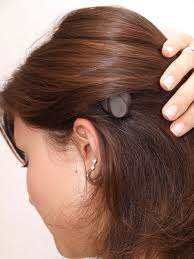
RONDO is a single-unit “button processor” compared to a BTE that has a separate coil. Because my hair is short, the RONDO is more noticeable than the OPUS 2. People have asked me more questions about the RONDO in just a few weeks compared to the OPUS 2 in a year. For some reason, people are more fascinated with the RONDO and seem more comfortable asking about it. I’m social by nature and have had great conversations with people who have approached me to ask about the “thing on my head.” This could be a minus for some people who don’t like to be noticed or are more introverted. I believe that it appeals to some people with longer hair because it’s more discreet. I personally never cared if people looked or not. I just love the convenience of the RONDO on my head instead of behind the ear like a BTE. And, it’s much easier for me to wear glasses, especially thick sunglasses!
The device is so easy to use… just turn it on and plop it on your head. The only “hassle” is having to change the batteries once every 4 or 5 days depending on how long your day is. For me, this is an advantage compared to having to replace rechargeable batteries daily for the OPUS 2. I put the CI on first thing in the morning and it only leaves my head before I hit the pillow at night. Everything about the device is neat. It is just a small “puck” on your head. The only negative that I have noticed so far is that when I have to replace the batteries I have to stop whatever I am doing and find a table to replace them.
Tour of the RONDO
The microphone is at one end of the processor and has a protective cover over it. To each side of the microphone are LED’s that will flash to indicate different things about the CI. It will flash continuously, for example, if the battery dies. When it is powered on it will flash a number of times to indicate which program it is using. It will also flash anytime some action is taken with the remote. It is important to note that this light activity can be “turned off” if the user does not want them to flash.
The RONDO has very small holes for a tether to clip the device to your hair or clothing, which I don’t use. It has a switch to turn the unit “on” and “off” which is also used to unlock the case to replace the batteries. Very easy and convenient switch the way it was designed.
Size of the RONDO
It is hard to compare RONDO with OPUS 2 as far as sizes are concerned because of their different form factors. I can’t hide it with my thin hair. I think people with longer hair are able to cover it. The color options are close to typical hair colors. But, this doesn’t really make a difference if you are bald or wear your hair very short.
The processor is somewhat thick, but it is not that bad in my opinion. The D-coil is surely much thinner! I use hard hats from time to time at work and even though I have worn the hard hat with the RONDO, I prefer not to. I plan to switch to the OPUS 2 when I am on the field all day working with a hard hat. If I am going to use the hard hat just for a quick site inspection then I don’t bother switching processors.
Batteries
The RONDO uses disposable batteries only — three 675 size and I get more than 60 hours on them. The OPUS 2 has both disposable or rechargeable options available. I use the rechargeable battery pack with the OPUS 2.
I have only used rechargeable batteries with the OPUS 2 and I get 12 hours on the dot with each processor. I have not used disposables for a long time but I remember they lasted 3 days with the same 3 batteries as the RONDO. But that was before the D coil was available for the OPUS 2, and the D coil improves battery life by up to 50%. So the same batteries last longer with the RONDO than they did for me with in the OPUS 2, as expected.
The batteries are easy to replace by using the magnet to take them out of the sockets. After replacing them a few times, I’ve gotten better at it over time and now after several weeks with practice I can replace them rather swiftly.
When you change the batteries, RONDO retains the program and settings. This is a tremendous advantage! I typically don’t change programs very often. However if I had the unit on Telecoil, switching the unit off and on brings it back to microphone mode (turns off T-coil function).
Mini Battery Pack with AAA Battery
The Mini Battery Pack, which I use for Direct Audio Input, takes a single AAA battery. It can also use a rechargeable battery (AAA or DaCapo Power Pak). The Mini Battery Pack for RONDO is slightly different than the Mini Battery Pack for OPUS 2, as a different connection is needed on the processor side.
Sound Quality
The mic is obviously in a different location than the OPUS 2 mic. Sound quality is almost the same for me. The differences are slight as far as I can tell. The RONDO appears to provide a somewhat more “normalized” sound. I prefer the RONDO sound a little better in quiet environments due to the way the microphone is positioned. I do a bit better in restaurants and at parties with the OPUS 2 compared to the RONDO. This minor decrease is somewhat compensated by the tremendous convenience and dramatic improvement in comfort that the RONDO provides. I’ve also noticed that for me, the RONDO seems to pick up a little more wind noise than the OPUS 2.
Remote
RONDO, FineTuner, and OPUS 2XS
The FineTuner remote control has the same functionality as with the OPUS 2 – you can use the same remote with either processor. I use the remote mostly for T-Coil activation or to evaluate new programs or strategies.
One remote controls both RONDOs for bilateral users. That is a terrific thing for me. I love the convenience. I also like the way the remote is designed with its buttons because I can switch just about anything in the dark and inside my pockets without looking at it. Very intuitive!
Keeping the processor on
I use the same magnet (standard) that I used for the OPUS 2. And I can run with it without a problem. There are four strengths – soft, standard, strong and super-strong. The processor stays on very well. It only comes off when I swipe it accidentally.
It comes with a retaining tether, but I don’t use it.
Comparison with OPUS 2
RONDO and OPUS 2 are identical in the functional sense, with the exception of one significant difference… the Telecoil orientation is critical for good reception, so if the RONDO is not in its proper orientation adjustments may be needed. I often have to tweak the orientation of the OPUS 2 to make sure it is perpendicular to the loop plane to get the maximum sensitivity possible. The RONDO can shift a little on your head and may not be in the optimal Telecoil angle. The same programs that were on the OPUS are used on the RONDO. There is no difference and maps work equally well for both the OPUS 2 and the RONDO. Like the OPUS 2, the RONDO has four program slots.
Also, I prefer to wear my RONDOs with the microphones pointed slightly differently than the normal operation, so when I use a hearing loop or neckloop, I have to make a quick adjustment. I have gotten used to do that so much that is now becoming an automatic thing for me.
With the telephone, I have developed a technique where I use two of my fingers to position the RONDO in an ideal position relative to the phone for maximum pick-up. In the beginning, this was hard because the processor is on your head and not behind your ear. It took some getting used to. This is now automatic for me as well. I don’t use the Telecoil with the phone, just the microphone. It does look a little odd holding the phone to your head instead of your ears, but I do it all the time and I haven’t noticed any strange looks – yet!
People can still hear me well when I use the cellphone even with the phone’s microphone further away from my mouth.
Telecoil
To use the telecoil, activation is via remote only. To deactivate it you can either press a button on the remote control or if the remote is not handy, you can just switch the RONDO “off” and “on” and the Telecoil will go off automatically.
Direct Audio Input
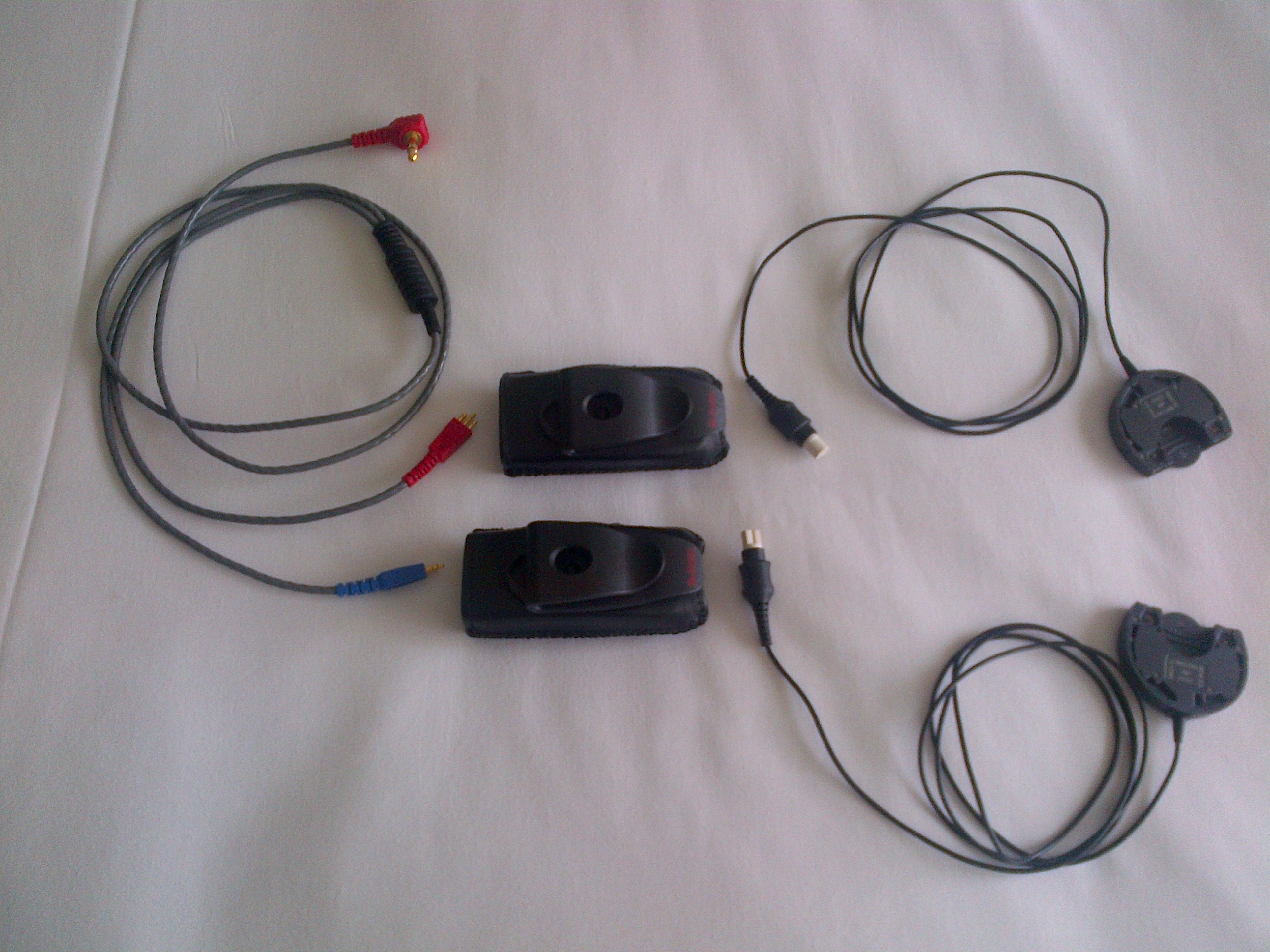
I use this all the time when I am travelling, in the airport lounges and on the plane. The RONDO has a special accessory that replaces the battery platform. This Direct Audio Input accessory has a cable attached to it. Then this cable connects to another small accessory called a Mini Battery Pack. This “pack” unit has a jack that allows me to plug another cable that then connects to just about any audio jack out there; iPad, iPhone, laptop, plane audio jack, etc.
My bilateral DAI travel kit
You can also connect an FM receiver via the mini battery pack. I just carry this same kit with me if I go to a theater or a movie and want to capture the best sound possible. Loops don’t come anywhere close in terms of Hi-Fi listening. However, if a facility has a hearing loop then I don’t bother with the kit.
Everything ready for bilateral DAI. The audio cable has Euro connectors – the same ones that FM receivers use.
On the plane with my gear!
Warnings and indicators
There is a warning beep when the batteries are running low that lasts a minute or two to warn the person to replace them. This can be deactivated in your program, for instance if the listener is a child.
The lights flash for different programs and also for low battery, dead battery, etc. I had my “lights” turned off to avoid distracting people when the battery is about to die. When I turn on the processor the lights flash to tell me it is operational and which program it is in.
Unless you ask the audiologist to turn the lights off, they will show parents different statuses… when changing programs, changing volume or sensitivity, etc… basically, each time a remote key is pressed the light flashes to confirm the change. Also, when the battery dies, the light flashes continuously.
Conclusion
I was in the field all day using a hard hat with the OPUS 2 and I noticed that I had gotten so used to the RONDO sound quality that I instantly noticed that do have a preference to the RONDO quality. Music does sound a little better with the RONDOs for me personally. It only confirmed my earlier assessment that the RONDO provides a more “normalized” sound quality. Switching back to the ROINDO came as a mild relief. Nothing dramatic but it is “somewhat different” as far as my personal experience is concerned.
I will use the RONDO probably 99% of the time. Comfort is the primary reason. I will use OPUS 2 with hard hats and for very active sports like soccer. When I go to my fitness club, I use the RONDO because I can jog and run and do all of my workouts without a problem. In fact, I find that I don’t have any sweat issues with the RONDO. I think the reason is because my hair is very short and the sweat never reaches the top surface of the processor. It seems to slide around the base. I used to have more problems with the OPUS 2 because the microphone would get wet and the sweat could easily find a way into the processor. That has not been the case with the RONDO so far. I am not sure if I will have issues when my hair gets longer and it starts covering the RONDO.
As an adult, I love the comfort and convenience of the RONDO!
Where the RONDOs came from
Joe and other members of MED-EL’s Patient Support Team (PST) received RONDOs from MED-EL to try out. Joe decided to keep his, and worked through MED-EL’s exchange program to keep them. If you have OPUS 2 processors, you may be eligible for an exchange, but the details depend on the age of your OPUS 2, if it has been opened, etc. In some cases, it’s a simple exchange, in others there is a cost involved. If you are interested in an exchange, please contact MED-EL.
About the author
Joe Duarte has had hearing loss for most of his life of unknown causes. He began wearing hearing aids when he was four years old, and now has bilateral cochlear implants from MED-EL. Joe engineers and sells hearing accessibility solutions through his company, Duartek.
Joe is a member of MED-EL’s Patient Support Team (PST). PST members include people who wear MED-EL hearing implants, their spouses, and parents of children with MED-EL implants. They are a volunteer resource for people considering an implant and who are interested in learning more from actual users with real-life experiences.
Phonak’s new digital FM technology is available in products that work with all cochlear implants. The system offers greater flexibility, ease of use, and noise immunity than traditional FM systems. It is particularly useful for schools with multiple FM users in one classroom, and with users in nearby classrooms.
Read an interview on AudiologyOnline with Dr. Hans E. Mülder, Director Marketing and Senior Audiologist at Phonak Communications, where he discusses the technology. Figures 2-4 show improvements in noisy situations over traditional FM (and no FM) for users of Advanced Bionics, Cochlear, and MED-EL cochlear implants.
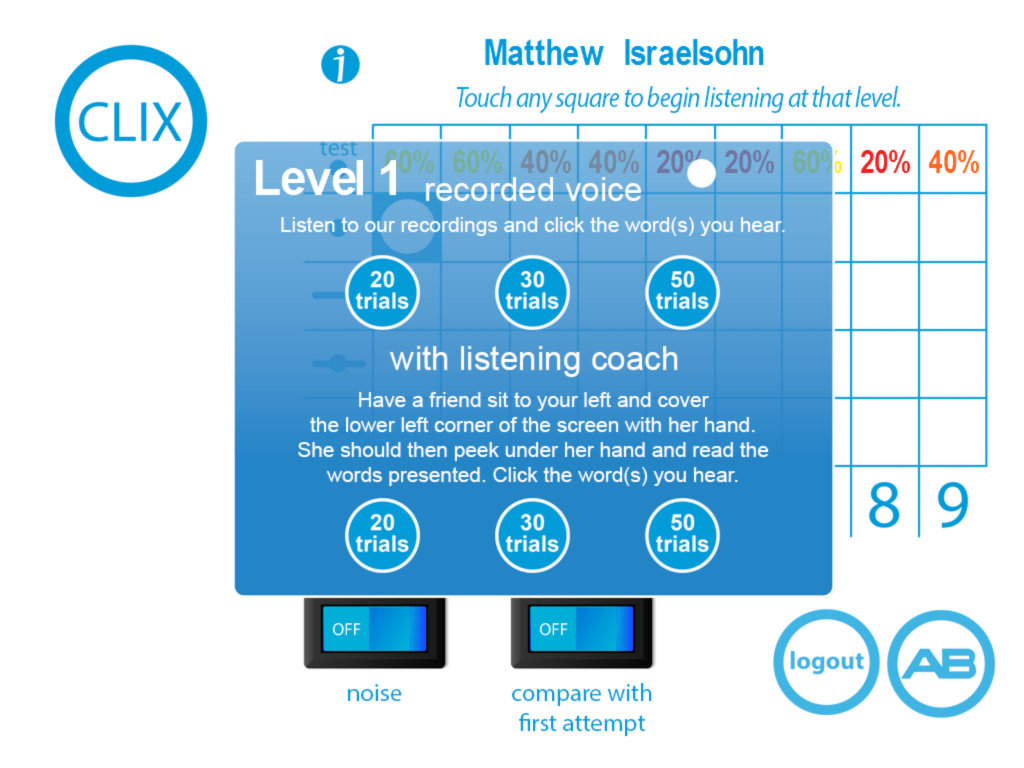
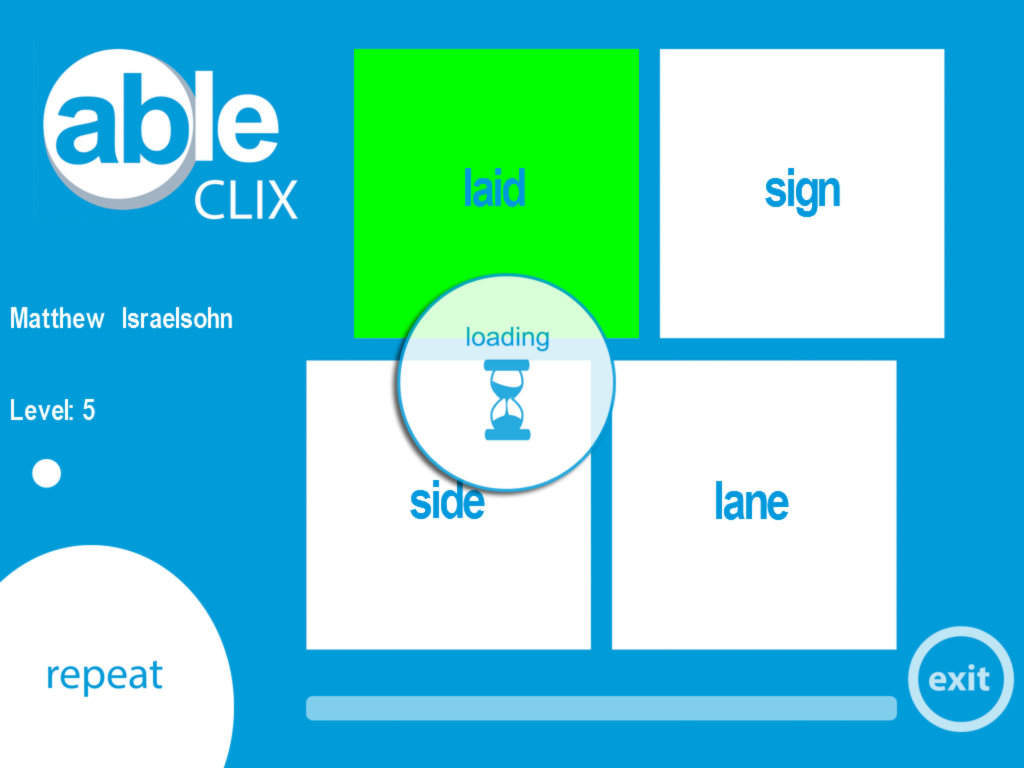
An Advanced Bionics employee has just launched a free iPad based auditory rehabilitation application called ABle (Advanced Bionics Listening Exercises) which can be used by hearing aid or cochlear implant users.
Features include:
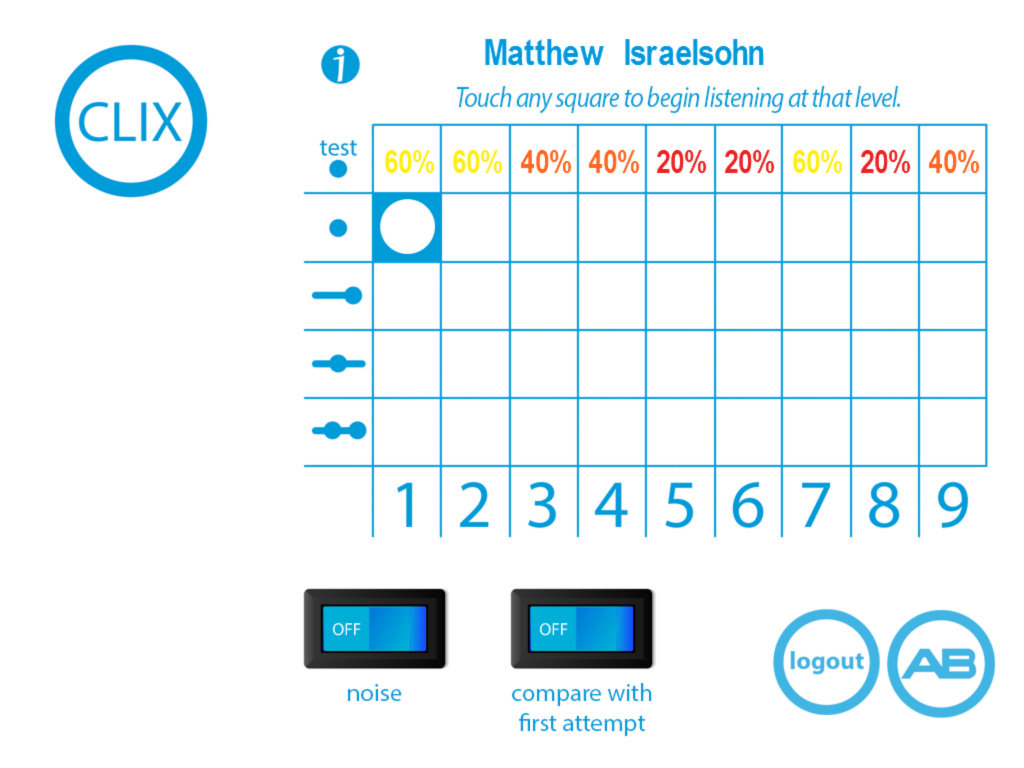
Placement test you can take at any time which will lead you to recommended levels.
45 level hierarchy of word differences
Over 2,300 recorded items to test your discrimination skills
Use this app by yourself or choose to practise with a live voice (a friend will need to act as a “Listening Coach”)
Add noise to challenge your discrimination skills
Randomised presentation. Each time you visit a level it will present words differently.
Compare current scores with earlier attempts.
Listen for words alone, words at the end of a phrase, words within a phrase or 2 words per phrase.
CLIX dashboard shows you your scores, recommends new challenges based on your performance, and allows you to enter each of those levels from one place.
Choose short, medium or long practise sessions.
Professionals using this app with clients can create up to 30 accounts.
To obtain ABle, search for ‘able’ in the Apple App Store. The app is 236Mb in size. It only runs on iPads running iOS 3.2 or later.
If you are in the US or Canada and receive an implant from Cochlear, you can trade in the Nucleus 5 processor for the new processor when it becomes available. Details here.
Click to view the Sonova Holdings, parent company of Advanced Bionics investor presentation
Points of interest for Advanced Bionics users include:
Product pipeline on page 9. The bottom row shows that the low-power wireless communication system in the upcoming Naida CI Q70 will transition to digital in future processors. The new technology is described on pages 16-19.
The Advanced Bionics product pipeline is on page 27. For 2013 we see the HiFocus Mid-Scala array, the HiRes 90k Advantage, and the Naida CI Q70 processor. New arrays, implants, and processors are scheduled roughly every year! This year’s products are described on pages 28-31.
HiRes Optima, the low-power extended battery life strategy, is mentioned on page 32. The strategy is compatible with Harmony and Neptune processors as well as the Naida CI.
This is an April Fool’s post. Cochlear Implant HELP strives to provide timely and accurate information. So as not to mislead our readers, we now identify April Fool’s posts that mention specific cochlear implant manufacturers with this header. Our posts often hint at features that would exceed the hopes of many of our readers by far. While the posts are intended in jest, they do reflect some of the wishes of the community, and manufacturers might benefit from accepting these as inputs for longer-range product possibilities.
Cochlear leaps ahead in the fully-implantable technology race.
Cochlear has submitted a patent application to the US Patent and Trademark Office for a fully-implantable cochlear implant. While there are already many patents by all manufacturers for these devices, this one seems to go way beyond the state of the art.
The biggest advance seems to be in the surgical technique. Because the electronics are on a flexible ‘board’ they can be rolled into a cylindrical shape. Starting with the electrode array, the entire assembly is inserted through the nostril. Conventional arthroscopic instruments are inserted through the opposite nostril, and also through a small incision in the ear drum. There is no shaving of hair, no incisions other than the ear drum, and no waiting period before activation.
While the surgical technique is not claimed in the patent, it seems the surgery may be performed with a mild sedative and a local anesthetic. Because there is no need for swelling to dissipate or incisions to heal, the implant may be activated on the day of the surgery.
To charge the battery (or super capacitor) just keep a charging box next to your bed, and the power is transmitted wirelessly while you sleep.
Key points in the claims:
The electronics are on a flexible substrate, which may be rolled up for nasal insertion.
Use of a supercapacitor instead of a battery.
Insertion of the electrode array through the Eustachian Tube.
Unrolling the substrate so it lies flat in a sinus cavity.

 Our team grew from the germ of an idea, which was to provide carefully researched information on cochlear implants. We have published breaking news in the cochlear implant industry, comprehensive product reviews, and personal stories from cochlear implant users. We have interviewed professionals from cochlear implant companies and hearing loss experts.In our first year we have amassed a loyal following and we would like to thank you, our readers, for giving us your honest feedback and helping this site to be a world leader on unbiased information on cochlear implants. We continue to help make your cochlear implant hearing journey the best it can be!Warm wishes,







 cochlear implant HELP