Google to Acquire MED-EL

Google_logoMED-EL_logo

This is an April Fool’s post.  Cochlear Implant HELP strives to provide timely and accurate information.  So as not to mislead our readers, we now identify April Fool’s posts that mention specific cochlear implant manufacturers with this header.  Our posts often hint at features that would exceed the hopes of many of our readers by far.  While the posts are intended in jest, they do reflect some of the wishes of the community, and manufacturers might benefit from accepting these as inputs for longer-range product possibilities.

In a dramatic move certain to shake up the already heated competition in the cochlear implant industry, Google and MED-EL announced that Google will purchase MED-EL.  Both companies see tremendous amounts of room for technology improvements.

Perhaps the most interesting comment is Larry Page’s offhand announcement of ‘Google Ear,’ which will start out like a hybrid between a smart phone and a cochlear implant processor, but will evolve into a paradigm shift for how anybody interacts with the Internet.

Married Couple Live TV Activation

Tim and Natalie Nobes, both 44, have been deaf their whole lives.  They had cochlear implant surgery on the same day, and were activated live on Australian television.  Unfortunately this version of the videos isn’t captioned, but cochlearimplanthelp working on getting the studio to add subtitles.

Tim

The main segment includes the family story and Natalie’e activation.  And Tim’s activation follows in an emotional conclusion.

Hybrid Cochlear Implant Receives FDA Approval

The U.S. Food and Drug Administration today approved the first implantable device for people 18 and older with severe or profound sensorineural hearing loss of high-frequency sounds in both ears, but who can still hear low-frequency sounds with or without a hearing aid. The Nucleus Hybrid L24 Cochlear Implant System may help those with this specific kind of hearing loss who do not benefit from conventional hearing aids.

Read more on the FDA Press Release.

Confessions of an Ineraid User

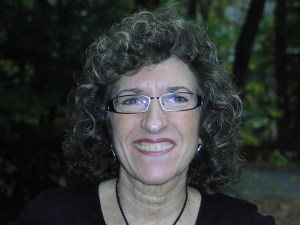
By Carolyn Tata

Carolyn Tata

I was born with a moderate to severe hearing loss in both ears, cause unknown, and was fitted with my first body hearing aid at 11 months.  About a year later, the opposite ear was also aided, I believe using a “Y” cord with the one single aid.  After some time, I got a second body aid and wore the two simultaneously. I was mainstreamed from the start with the help of outside visits with a hearing/speech teacher.

In sixth grade, I upgraded to two BTE’s after my teacher noticed I was not hearing as well. In my mid to late twenties, my hearing began declining rapidly.

In 1988, I suffered a bout of Tullio Syndrome in my left ear, rendering it unaidable.  The amplified sound coming out the hearing aid was distorted and would cause intense dizziness and loudness recruitment.

About a year after the Tullio incident, I met my ex-fiancé, who was a hearing aid dispenser.  At his suggestion, I  became curious about a new technology called a cochlear implant. Together we discussed and researched the idea.

I went to Lahey Clinic for a CI evaluation.  I was rejected because I did not meet the FDA guidelines for a clinical cochlear implant device. At that time, a prospect had to score 6% or less on the single word tests, and I kept scoring 7%, outclassing myself.

Not wanting to give up,  I went through 2 more cochlear implant  evaluations, one at Yale University Hospital, and the other at Massachusetts Eye and Ear Infirmary (MEEI).  Yale also rejected me for a clinical device, but recommended that I wait for a new emerging cochlear implant system called the MiniMed, being developed in California.  This was the precursor to today’s Advanced Bionics implants.  I suspect they suggested waiting because it would buy me more time for either my hearing to deteriorate further, or for the clinical guidelines to relax.

I did not want to wait, as I was fearful of losing the opposite ear any day.  I live independently and needed to keep working.  At MEEI, I also did not qualify for a clinical program, but their cochlear implant research program gave me a two-pronged option: enroll in their program with the Nucleus device in a research capacity, or  take on a more experimental device, the Ineraid.  They had high hopes to obtain FDA approval for the Ineraid at the time.

It took me some time, research into the marketing materials, rudimentary observation of others with the two systems, and finally serious thought to make this decision.  I concluded that  it made sense to opt for a “generic “ device such as the Ineraid.  There were no implanted electronics that could break or hinder upgrades.  All of the electronics existed *outside* of the body. The external hardware is connected to the implanted electrode array via an outlet that protrudes through the scalp.  This outlet, working like a wall socket, is called the percutaneous pedestal. This meant that the hardware *and* software was outside the body, in the hands of developers. I decided simple  “plug and play” was the way to go.  I would have easy opportunity to try any of the latest technologies.  Little did I know that the world was going to move to implanted electronics so quickly.  And little did any of us know that that Ineraid, with the same low infection rate as other implants, would not gain FDA approval for the reason of infection risk.
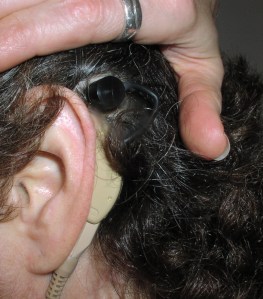
Best this selfie!  My earhook connected to the percutaneous pedestal.

Beat this selfie! My earhook connected to the percutaneous pedestal.

Ineraid processor, cable, and BTE

Ineraid processor, cable, and BTE

I underwent surgery for the Ineraid array on October 26, 1990. The operation was 5 to 6 hours long, with no immediate complications.  Recovery was about 2 weeks.  During this time, I was struggling with intense dizziness.  It may have had something to do with the Tullio issue, or possibly just postoperative fluid loss in the semicircular canals which comprise the ear’s balance mechanism.  The dizziness was steady, but did eventually subside to an  episodic pattern over the following year.  At about 6 months, the episodes grew shorter and less severe until they were finally gone completely a year later.

Hookup was in December.  When I was initially switched on, I listened and immediately declared it was not working.  All I heard was clicks and pings. It was pretty bad!  Then Dr.  Eddington, inventor of the Ineraid device, said “Wait” with a capital W.  He then brandished a screwdriver.  With that screwdriver, he bent over the opened processor and began to twist 4 screws while literally voicing 4 vowel sounds: A, E, O and U.  At each of those screwheads began the lead to the 4 active electrodes in the implanted Ineraid array.  I had to tell him when they sounded of equal loudness.  That was the  “mapping” in its earliest form. I was then instructed to take out my hearing aid in my opposite ear and go home.  I recall pronounced lightheadedness from switching the usual ear off and the opposite one on.  I felt very unbalanced.  This was  a feeling that was so pronounced, it was almost unbearable.  I truly believe the experts did not realize the gravity of the stunt they expected me to perform here.

Dr. Don Eddington

Dr. Don Eddington

I was still hearing mostly clicks and bells. I stuck with it and recognized just one sound by the end of that first day; a dog barking in the distance. However, I believe it was just the cadence of the bark and the fact that we were standing outside in a quiet suburban yard that helped me identify the sound.  It was another 2 weeks before I could get a toehold on the new stimuli.  That handle was the sound of folding vertical louver blinds. Once that sounded like blinds closing, other familiar sounds began to fill in for me.   It was a domino effect, with many pieces falling into place. Once that got underway, my journey of  discovering new sounds began. I would say this was a 5-year ongoing  process.

It was a very mentally intense time as there were so many new sounds I had never heard before (food sizzling in a pan, the hiss of a lit match, the cat scraping in the  litter box, the time clock beep, perfume spray, etc). As for communication functionality, it made lipreading immensely easier, but  I still needed to lipread in most situations.  I could use the phone only with the most familiar people.  But I did enjoy music!  Immensely, as I heard so many new high notes.  My old favorites became new ones.

The first processor I used operated on a primitive Simultaneous Analog Stimulation (SAS) strategy.   SAS is basically an all-on firing strategy.  What they discovered over time was distorted hearing from these 8 electrodes firing simultaneously.  The electrodes’ signals were fighting against each other.  From the feedback of us subjects, they developed the idea of making these electrodes take turns and fire off alternately so each one could have the “dance floor”. This was the birth of CIS, or Continuous Interleaved Sampling.  I spent much of 10 years as a research subject participating in the development of this strategy.  CIS served as a foundation of many of today’s implant processes.

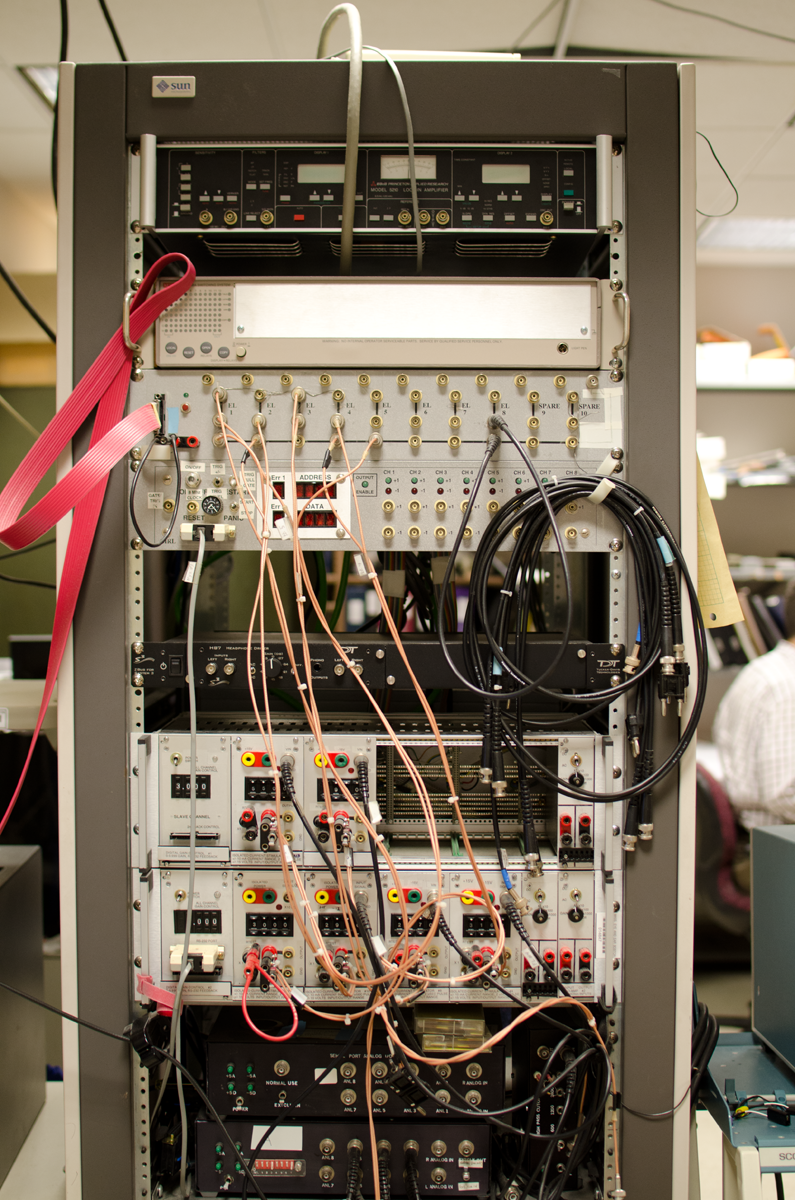
Because this was a new concept, there was not yet a wearable processor that ran CIS.  I had to give feedback via tests in the laboratory, and we delivered our responses via a very simple computerized user interface.  In order to be tested through this CIS strategy, I was seated in an open sound booth with wires running through the wall.  One of these wires plugged directly into the pedestal in my scalp. I was plugged directly into  a myriad of boxes that looked like our old stereo receivers, but even older than that.  These had old fashioned toggle switches and a green oscilloscope to illustrate pulse (or current?) strengths.  Old stuff, but it still did what it needed to do!  The tests would be set up in many different ways in the “back room” and the feedback from me (us subjects)  was mostly via a  Pong-like  computer screen with three boxes that would light up with each signal.  We would have to pick the one that was different.  There was just not hours, but days and years of this seemingly same tests.
I went to the MIT campus to perform speech production exercises. I did get the explanation that they were studying how speech changes when hearing is improved. They had me repeat over and over the same sentences with just one word slightly different.  Ingrained in my mind is saying: << It’s a pod again.  It’s a rod again.  It’s a mod again. >>  etc etc.

To record my speech actions, I had to wear a chest strap, electrodes on my throat and cheeks, some kind of air mask, and speak into a microphone.  There were many different kinds of exercises where I had to put up with discomfort and “perform” for 2 solid hours.

For a while I was living in Salt Lake City, and working at the University of Utah Medical Center.  One day I was walking down the corridor, and a man spotted me as an Ineraid patient. Of all people, it was the famous cochlear implant researcher, Dr. Michael Dorman! He asked me to volunteer as a test subject to try a new device. That was the start to a tight and personal research endeavor.

Just before that time, Smith+Nephew and Richards as the parent company overseeing the Ineraid product, decided to across the board, change some component on the processor board (resistor, transistor?).  Whatever, it totally wreaked havoc on my hearing with the Symbion processor.  At the time I approached by Dr. Dorman, I was struggling with pretty lousy hearing that should not have happened as such.  Thankfully Michael Dorman could clearly see through his testing how badly the revised Ineraid was serving me. I don’t think it was his plan but he decided to let me try a MED-EL processor modified to run CIS.  OMG!!!!  First I saw daylight with the Symbion, then I was awash in sunshine with this MED-EL treasure. I was so fortunate to be able to change processors, even to one from a different company.

MED-EL CIS PRO+ used with my Ineraid array!

MED-EL CIS PRO+ used with my Ineraid array!

Special MED-EL CIS LINK earhook

Special MED-EL CIS LINK earhook

I was astounded when I returned to my office that same day he gave me this processor to try.  People, like my boss, saw the wonder and joy in my face.  This was *connection*! However, I’m guessing it might have been too much connection as I think the processor was set too sensitively.  I think I heard things I was not supposed to hear  (and why not, is always my question!)  I was hearing stuff in my home out there that my companion could not, like the rushing of air through the ducts.

Dr. Dorman was provided more explanations about his testing than the folks back in Boston.  In both Boston and Salt Lake City, there were many, many threshold and pitch discrimination tests. Dr. Dorman did many pitch discrimination tests with me, which showed how scrambled my hearing was with the “newly improved” processor.

Dr. Dorman explained how CIS worked and it became clear to me the reasons for the pitch tests. They were varying the electric outputs of the individual electrodes to create virtual electrodes at the points where the electrical fields of the electrodes intersected. I thought this was the coolest concept!

I wore the MED-EL processor when I moved back to the East Coast. Unfortunately it began to produce static, which grew louder over time.  No one could resolve the issue, so Dr. Don Eddington retrieved that beloved MED-EL processor, returning it to Dr. Dorman.  Dr. Eddington then put a Geneva processor on me, which he had developed with some people in Switzerland to make a body-worn processor that can run CIS. I never liked it as well as I did that MED-EL.  But it could all be in the settings, programming.  Who knows.  Can I get that back, I dunno.  If I could, the other major question would be: who would service it?

Speed dial to 2003, when the opposite ear was implanted, with a clinical device this time.   It was a pleasantly easier experience as it was much simpler prep, shorter surgery and much shorter recovery time.   We can thank better surgical methods after initial trials on people like me the first time around.  This surgery was much easier and rehabilitation was much easier and faster with this CI because I now had a good basis established for the sounds that I was about to hear.

Now that is already 2014 with two CIs, I have been elated to enjoy the advantages that come with binaural hearing.  It took 24 years to get to this point, but I still appreciate my chances to scrabble along this path which has helped countless others following me.  It was hard work, but also very rewarding.  I have many cherished memories from the “old” days that others today would never get to appreciate.  I feel gratification from watching the recipients following our research efforts and findings.  I am thankful to have input a little bit to bettering some lives. Thank you for listening!

Michael Chorost reviews the Naída CI Q70 Processor

Author and cochlear implant user Michael Chorost has published a detailed review of the Naída CI Q70 processor, filled with user experiences and pros and cons of the processor.  Read the full review here.

Ci Wear Free Shipping Offer

Exclusive offer for cochlearimplantHELP Readers!

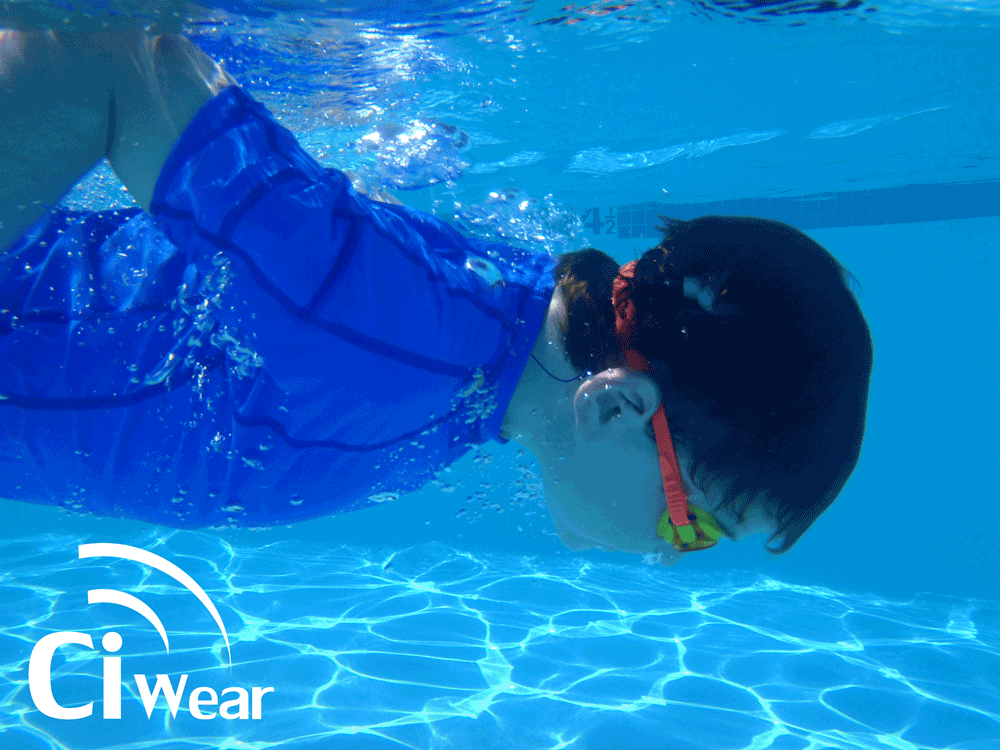
Ci WearCi Wear, the new swim and active wear shirt designed to hold CI processors and other small digital devices is offering free shipping to our readers on all domestic shipping in the Continental U.S. from now to March 15, 2014.   Visit ciwear.com, when placing your order enter “cochlearimplantHELP” under the “Shipping code” then press add to cart.  After your order is processed through PayPal, Ci Wear will credit back your shipping and handling charge.   Offer is only good on available inventory.

Ci Wear Shirt Review

Terrie Kellmeyer

The recently released Ci Wear shirt is a welcome addition to our cochlear implant repertoire.  We are a family of five, and two of our three children wear Advanced Bionics cochlear implants.  Our nine year old son wears the Naída CI Q70 processors and our three year old daughter wears the Neptune processors as their go-to processors.  However, whenever my son participates in sports, he always wears his Neptune processors.

Our family is very active and involved in many sports and outdoor activities.  We live near the ocean, so beach time and swimming are a big part of our daily lives.  We’ve struggled for many years to come up with a good way to wear the cochlear implant processors at the beach.  Prior to the release of the waterproof Neptune processors, we tried Ziploc bags and fanny packs, modified Otter box containers, and many different homemade pocket shirts to hold the CI processors.  We were ecstatic when the waterproof Neptune processor was released, but still struggled to find the right wearing option that worked for our family during water activities.  I again tried sewing my own pocket shirts for the beach to hold the Neptune processors, but wasn’t able to make a shirt where it wasn’t obvious there was a CI processor attached, and couldn’t find a way to keep the cords from becoming tangled.  At a routine visit to our audiologist I was shown a prototype of the new Ci Wear shirt. At first glance it seemed like the perfect solution for wearing the CI processors at the beach.  I was excited to try it out and see if it really worked as well as I thought it would.

We were sent home with a prototype shirt to try out.  The shirt looks and feels like a high-quality rash guard shirt and is well-made.  The shirt is very well designed with pockets on each sleeve where the processor can be inserted.  There is an elastic band in the pocket where the processor can be clipped for added security.  Inside the back of the pocket there is a small hole to thread the cord through, and another loop inside the neckline to thread the cord through which helps keep the cords nicely in place and prevents tangling.  The loop in the neckline also helps keep the cord and headpiece in place when the headpiece falls off, making it much easier to find the dislodged headpiece and put it back on.  Another nice feature of the shirt is that it isn’t obvious that my kids are even wearing CI processors at all.  The CI processors are barely visible when inside the pocket (it just looks like a bump in the shirt), and the cords are nicely concealed inside the shirt and only appear where they come out of the collar.

ciwear_pic1Our first sporting activity after receiving our prototype shirt was a soccer match.  Although the shirt was designed for the water, I decided to give it a try for my son’s soccer game to see if it helped hold his processors in place.  His normal way to wear his Neptune processors was to clip them to the collar of his shirt, but they would bounce around when he ran, and the cords were always an issue.  I inserted both processors in his shirt before he put it on, then he put the shirt on with the processors already in place and off he went.  I was concerned he might get too hot in the rash guard because it is a thicker material than a regular Under Armour shirt, but it was not a particularly hot day and he didn’t complain.  The shirt worked amazingly well and kept both his processors and cords tucked away while he ran up and down the field.  It also hid his processors nicely.  The shirt was an improvement over the way he used to wear his processors.

We didn’t get a chance to go to the beach before I had to send the shirt back so I didn’t try the prototype shirt at the beach.  I received an email a few weeks ago that the shirts were available for sale and immediately purchased two:  a gray one for my nine-year old boy, and a blue one for my 3-year old girl.  I couldn’t be happier!  We’ve now worn our shirts at the beach in the water and they work extremely well.  The processors are very secure in the pockets and I don’t have any worries about the kids losing their processors in the waves while boogie boarding or surfing.  The cords do not tangle nearly as much as they used to due to the loop in the collar that keeps each cord on the correct side.  It’s also nice that the shirts have built-in UV protection – an added bonus.

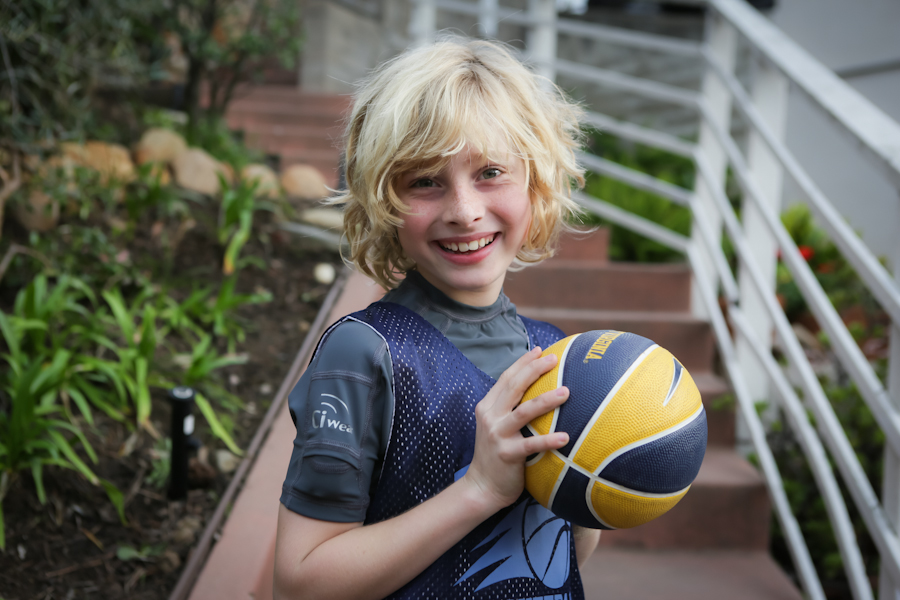
My son also routinely wears his Ci Wear shirt under his basketball jersey and it works equally well for basketball.  I’m sure that his CI Wear shirt will become a standard part of his uniform he wears for any sport.

ciwear_pic2The shirt should also work well for other CI processors (not just the Advanced Bionics Neptune processor) – particularly any processor with an off-the-ear wearing option.  In fact, I put my iPhone in the pocket and it fits nicely due to the stretch in the material. I’m thinking of ordering one for myself to hold my iPod or iPhone while running.  My son that does not wear CI’s also wore a CI Wear shirt at the beach and filled the pockets in the arm with his beach “treasures”.  I plan to buy one for him as well!

My wish-list for the CI shirt would be to have the shirt also available in a thinner material for everyday use as a pocket shirt under regular clothes for my daughter that wears her Neptune processors on a daily basis, and for sporting events other than the beach.  Of course pink would be a nice color for all the girly girls out there.

Overall this is an excellent product and I am happy to have a well-designed, good-looking shirt that not only conceals my kids CI processors, but keeps them safely tucked away for sporting and outdoor activities.  Thank you Ci Wear!

About the Author

Terrie Kellmeyer is a mother of three active children, two of which wear cochlear implants. Although she has never let her kids cochlear implants limit their sporting and beach activities, she is appreciative of having a new wearing option to hold their cochlear implants which allows her kids to focus on the important things- getting the basket or catching the wave, not worrying about losing a processor! For additional information she may be contacted at terrie.kellmeyer@cox.net.

myNaída app for iOS and Android Review

Deb Deitz

As the proud new owner of a Naída CI Q70 cochlear implant processor, I was delighted to see that Advanced Bionics had come out with a free App that I could use on my iPhone and Android Tablet that gives me the same user information that came with my kit.   Now we can basically have all the information at our fingertips without having to drag out the user manuals!

There are two versions of the myNaída App and each has its own separate link.  The first one is for iPhone users and Apple products and the second is for Android phones and tablets.

myNaida_AndroidI turned on my Samsung Galaxy 10.1 Tablet, an Android tablet, and wasn’t 100% sure how to install the App. I went to the “Play Store” and typed in the word “Naída”.  Sure enough a website came up asking me which version I wanted to download.   I chose “for Android devices” and within a minute I had the full myNaída app installed on my tablet!  Just search the iTunes store or Google Play for myNaída.

In the upper right corner of any screen, you will see a little blue and white settings icon.  This allows you to download all the videos.  It’s nice that the videos don’t come with the app, or you could get hit with some serious data charges!  Make sure to be connected by wifi when you download the videos.

The words “Instructional Toolkit” sum up this App perfectly.   There are nine different sections within the App for various areas of instruction and information.   Click and learn.

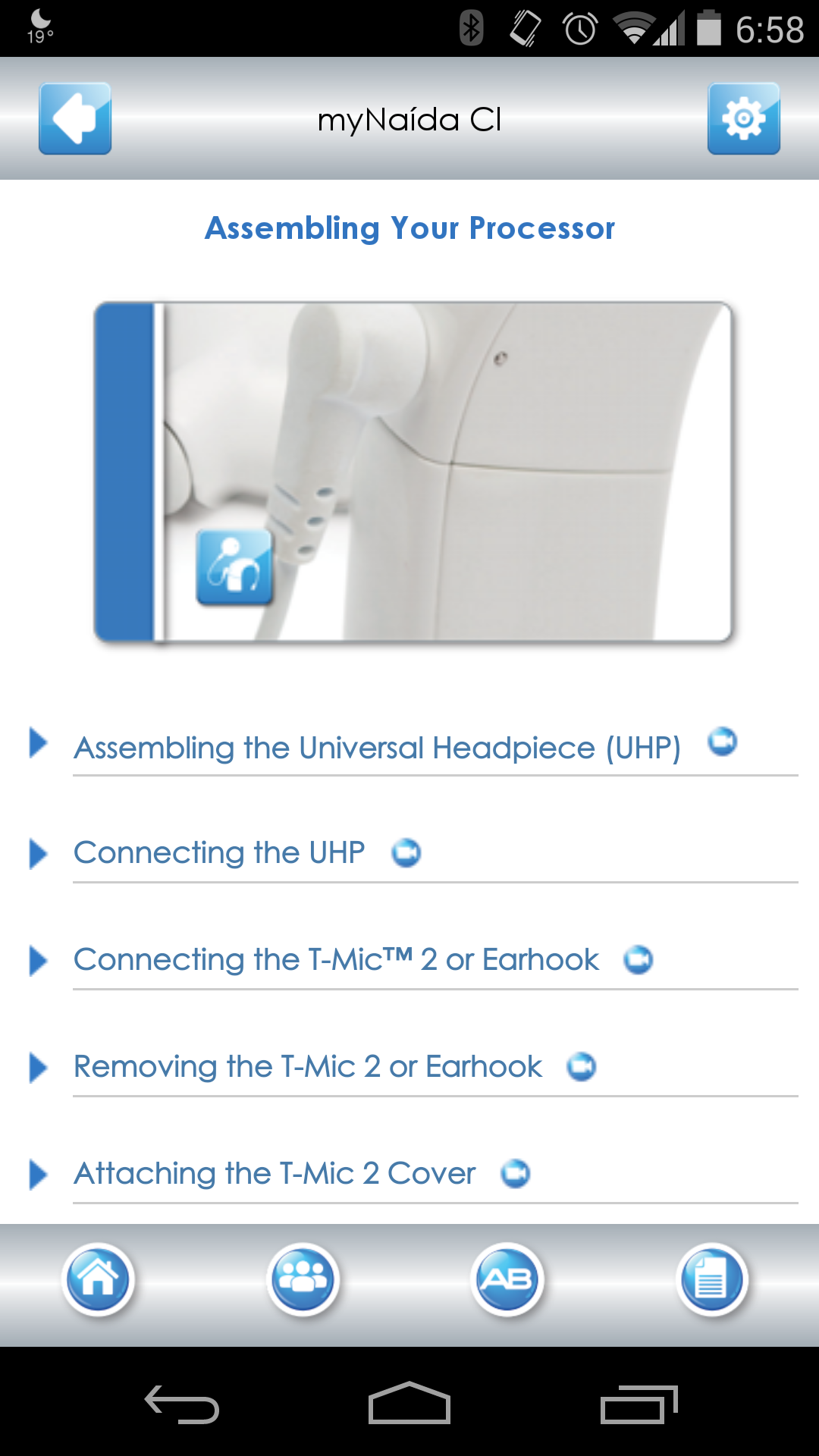
My Naída CI:  Everything about your Naída CI, from parts, assembling the processor, operation manual, listening check, using the phone, wearing off the ear, and caring for your device.  The videos come in really handy for sections such as assembling the processor.  And naturally, they are all captioned!  Be sure to scroll down – there are lots of sections.

assembling

AB myPilot:  Parts manual, charging instructions, pairing instructions and operating manual.

ComPilot:   Parts manual, charging and operating your ComPilot.

Troubleshooting:   Common issues with the Naída CI, AB myPilot and ComPilot are all covered.  Full step by step directions on self troubleshooting.   This is a wonderful resource! If you have any problem with your gear, make sure to check out this section.  It may save you a trip to the audiologist!

troubleshootingSound Processing Features:   Excellent explanations of what we have and what it does.  Clearly describes what each feature does.  I am happy to say I am using AutoSound, with ClearVoice and Optima sound processing!  If you sometimes forget what features such as DuoPhone, UltraZoom, or Optima do, this section contains clear and simple explanations.

Phonak Binaural VoiceStream Technology:   This describes our new Phonak features in full.  I am using Ultrazoom and am totally in love with it.   I use it in loud situations, like restaurants, paired with ClearVoice, I hear much better in noise than I could dream possible. DuoPhone, QuickSync, and ZoomControl are features for bilateral users.   If you are in doubt which programs you might want on your processor, this section can help you select your user settings.  Helpful when talking with your audiologist!

Connectivity:   This section explains all the ways to connect to your Naída processor. Learn about the T-Mic 2,  Naída CI listening check, using the telephone, using T-coil, using Bluetooth with ComPilot, AB myPilot, Phonak TVLink, Phonak RemoteMic, FM access.

Hearing in Noise:  T-mic 2, ClearVoice, HiRes Fidelity 120, HiRes Optima Sound Processing, AutoSound, UltraZoom.

Enjoying Music:  This section goes further into Advanced Bionics innovations and talks about getting the best music you can have with a CI. There’s even a link to AB’s music training program, Musical Atmospheres.

Using the Phone:  AB covers some programs that are helpful with using phones.  This feels a bit like marketing material on what the capabilities are, rather than simple instructions on the different ways to use the phone.

There is a tool bar at the bottom of the Home page that takes you to various places.  My favorite is the 2nd one with the logo of three people.  Click on that and you will find links to take you to the various online sites that have AB features and resources.  It’s a great way to contact AB when traveling or not at home and you need something.  Make sure to scroll down to see the whole list!  There’s everything from Facebook to Pinterest to Instagram, instant email to AB, and more.

Conclusion

If you are thinking about getting a cochlear implant, download this free app to see what features will be available to you!  And if you already have a Naída (or two) this is a valuable resource for everything from usage tips to debugging tools.

Everyone will find a use for this App.  No need to drag out your backpack with all the manuals, it’s all here, including easy to find and use contact information for Advanced Bionics.

Happy Hearing!

AB Launches myNaída App for iPhone, Android

mynaida_androidAdvanced Bionics is excited to announce the launch of an all-new myNaída app!

  • Fun, dynamic, user-friendly app for the Naída CI sound processor
  • Comprehensive guides, videos and simple-to-follow instructions
  • Available free for both Apple and Android devices
  • Download through iTunes and Google Play